Line Tool
Draw along walls, foundations, or any linear measurement. Total length calculated automatically.
- External & internal walls
- Foundation trenches
- Skirting & architrave

Upload PDF plans and measure directly on screen. Lines for walls, areas for floors, counts for windows. Measurements flow straight into your estimates.
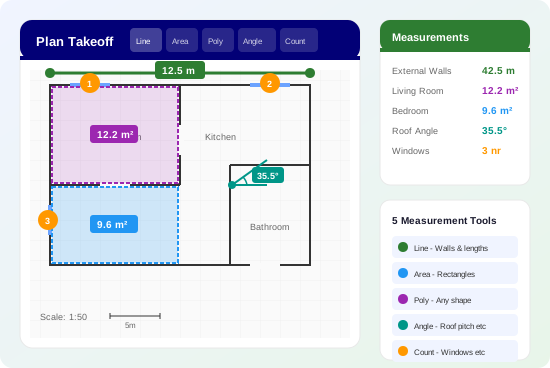
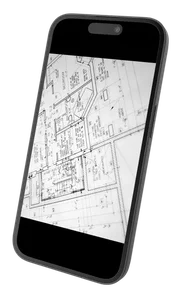
Upload your architectural drawings and measure quantities directly on screen. No more printing plans, grabbing a scale rule, and manually noting down dimensions.
Click, draw, and the measurements are ready to use in your estimate.
Everything you need to take off quantities from any drawing
Draw along walls, foundations, or any linear measurement. Total length calculated automatically.
Quick rectangle selection for regular shaped rooms and surfaces.
Trace any shape — L-shaped rooms, complex footprints, irregular areas. Click point-to-point.
Measure angles for roof pitches, bay windows, and angled walls. Essential for accurate cutting.
Tap to count items on the plan. Keep accurate track of quantities.
From PDF to priced estimate in four steps
Drag and drop your architectural drawings, site plans, or planning documents.
Auto-detected or draw a line over a known dimension to calibrate.
Use line, area, and count tools to take off all your quantities.
Apply measurements to calculators — quantities auto-populate.
Save time and reduce errors on every quote
Measure a full set of plans in a fraction of the time compared to scale rules.
No mis-reading scales or adding up wrong. Digital accuracy every time.
Plans change? Just update the measurements. No starting from scratch.
Organise takeoffs by type — external walls, floors, roofs. Running totals for each.
Architectural drawings, site plans, elevations, sections — all supported.
Show clients exactly where your quantities come from. Full audit trail.
For accurate measurements, simply draw a line over a known dimension on your plan and tell the system what it represents. This takes seconds and ensures your takeoffs are spot-on.
Tip: We recommend manual calibration for best accuracy. Auto-detection depends on PDF metadata which isn't always present or reliable.
Included with every EasyEstimate account. Upload your first plan today.